
AI image tools have transformed how we create visuals. Whether you’re a marketer designing social media posts, a designer brainstorming concepts, or a hobbyist experimenting with ideas, these tools turn simple text descriptions into stunning images in seconds.
In 2026, the options are more powerful and accessible than ever. But with so many choices, it’s easy to feel overwhelmed. This guide breaks down the leading AI image generators, their strengths, and how to choose the one that matches your goals, budget, and skill level. You’ll walk away knowing exactly which tool fits your needs.
What Are AI Image Tools?
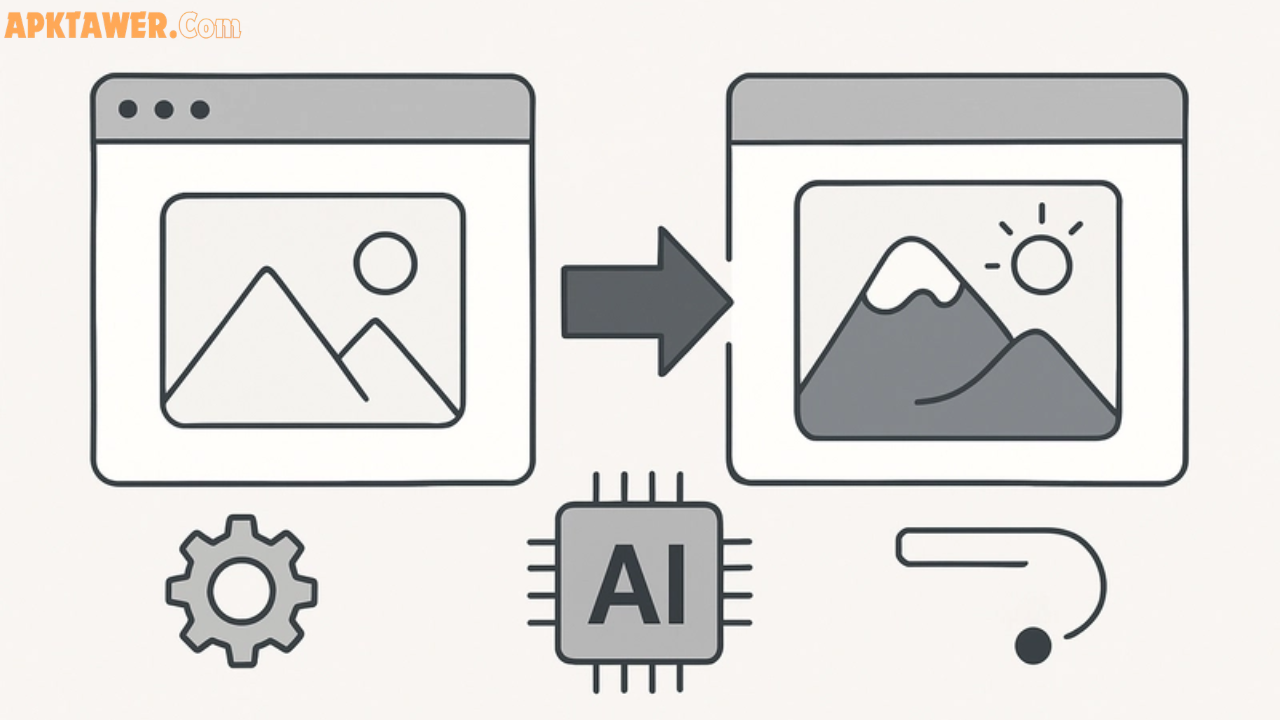
AI image tools (also called AI image generators or text-to-image AI) use advanced machine learning models to create original images from written prompts. You describe what you want — “a serene mountain lake at sunrise with a wooden cabin” — and the AI generates it instantly.
These tools go far beyond basic filters. Modern ones handle complex scenes, realistic people, accurate text inside images, style matching, and even photo editing. They’re used for everything from social media graphics and product mockups to book covers and concept art.
The best part? Many now offer free tiers, making professional-quality visuals available to anyone with an internet connection.
Key Features and Benefits of AI Image Tools
AI image tools deliver speed, creativity, and accessibility that traditional design software can’t match. Here’s what makes them valuable:
- Lightning-fast creation — Generate multiple variations in under a minute, perfect for tight deadlines.
- Creative inspiration — Overcome blank-page syndrome by exploring endless styles and concepts.
- Cost savings — Skip expensive stock photos or hiring illustrators for simple visuals.
- Customization options — Edit existing images, match brand styles, or maintain character consistency across a series.
- Accessibility — No advanced design skills required — just clear prompts.
Real-life example: A small business owner used an AI tool to create 50 product mockups in one afternoon, saving hundreds on photography.
The right tool boosts productivity while letting your unique ideas shine through.
Best AI Image Tools in 2026
Here are the standout options based on recent expert testing and real-user feedback. Each has unique strengths.
1. Google Gemini (Nano Banana Pro) Best overall for realism and everyday use. It excels at photorealistic images, character consistency, and legible text. Great image editing tools and seamless Google app integration.
- Free tier available (limited generations); Advanced plan ~$20/month.
- Ideal for: Marketing visuals, infographics, and detailed scenes.
2. ChatGPT (GPT-4o / GPT-Image) Best for beginners and creative flexibility. Super easy to use through familiar chat interface. Strong at following detailed prompts and artistic styles.
- Free with limits; Plus plan ~$20/month.
- Ideal for: Quick concepts, storytelling visuals, and ChatGPT users.
3. Midjourney Best for artistic and visually striking results. Known for beautiful textures, colors, and creative interpretations.
- Starts at ~$10/month.
- Ideal for: Social media content, concept art, and stylized designs.
4. Adobe Firefly Best for professionals and commercial projects. Commercially safe outputs, excellent Photoshop integration, and style-matching features.
- Starts at ~$10/month (credits-based).
- Ideal for: Designers already in Adobe ecosystem and brand-safe work.
5. Grok (xAI Grok Imagine) Best for fast, fun, and flexible creation. Delivers quick results with strong creative flair and fewer restrictions on certain prompts.
- Free access available; higher limits with subscription.
- Ideal for: Experimental ideas and users who want speedy generation.
Other notable mentions include Flux (great for customization), Ideogram (top-tier text in images), and Canva Magic Studio (easiest for complete beginners).
Comparison: Which AI Image Tool Fits Your Needs?
| Tool | Best For | Pricing (Starting) | Key Strength | Ease of Use | Commercial Use |
|---|---|---|---|---|---|
| Google Gemini | Realism & editing | Free / $20/mo | Character consistency | Very High | Yes |
| ChatGPT | Creative & simple prompts | Free / $20/mo | Prompt understanding | Highest | Yes |
| Midjourney | Artistic visuals | $10/mo | Stunning aesthetics | Medium | Yes (paid) |
| Adobe Firefly | Professional workflows | $10/mo | Safe & integrable | High | Excellent |
| Grok | Speed & experimentation | Free / paid | Fast generation | High | Yes |
Choose based on your priorities: free access and ease (Gemini or ChatGPT), artistic flair (Midjourney), or professional safety (Firefly).
Pros and Cons of Using AI Image Tools
Pros
- Democratizes design — anyone can create high-quality visuals.
- Saves time and money compared to traditional methods.
- Encourages experimentation with unlimited variations.
- Continuously improving with new models and features.
Cons
- Results can sometimes need refinement (e.g., minor distortions).
- Learning effective prompting takes a little practice.
- Free tiers often have generation limits.
- Ethical considerations around disclosure and originality.
Balanced view: No single tool is perfect for every task, which is why many creators use two or three depending on the project.
Practical Tips and Best Practices
- Craft better prompts — Be specific: include style, lighting, composition, and mood. Example: “Photorealistic portrait of a young woman reading in a cozy library, soft natural light, cinematic style, 8k detail.”
- Start simple — Test free tiers first to learn the interface.
- Iterate — Generate several versions, then refine with follow-up prompts or editing tools.
- Combine tools — Use Gemini for realism and Midjourney for artistic touches in the same workflow.
- Respect ethics and rights — Always disclose AI-generated content when needed and check commercial usage policies.
- Protect your brand — Tools like Adobe Firefly are trained on licensed data, making them safer for client work.
Pro tip: Keep a personal prompt library of what works for your style — it speeds up future projects dramatically.
FAQs
What is the best free AI image tool in 2026? Google Gemini and ChatGPT offer generous free tiers with excellent results for most users. Start there if you’re on a budget.
Can I use AI-generated images commercially? Yes — most tools (especially Adobe Firefly, Midjourney paid plans, and Gemini) allow commercial use. Always review the specific terms for your chosen platform.
Which tool is best for adding text to images? Ideogram and Google Gemini currently lead for accurate, readable text inside visuals.
How do I choose between Midjourney and ChatGPT? Choose Midjourney for breathtaking artistic results and ChatGPT for quick, conversational ease. Many users enjoy both.
Are AI image tools safe and ethical to use? Absolutely, when used responsibly. Stick to reputable platforms, credit AI where appropriate, and avoid generating misleading content.
Conclusion
The best AI image tool is the one that matches your specific needs — whether that’s realistic output, artistic freedom, professional integration, or simple speed. In 2026, tools like Google Gemini, ChatGPT, Midjourney, Adobe Firefly, and Grok make high-quality visuals accessible to everyone.
Experiment with the free options, refine your prompts, and watch your creative ideas come to life faster than ever. Explore these tools today and discover which one sparks your next big project. Happy creating!